



Quick Comparison: 7 Best WooCommerce Filter Plugins
Before I go into the full reviews, here’s a quick comparison to help you see how the top WooCommerce filter plugins compare to each other:| # | Plugin | Free Plan | Starting Price (/yr) | Best For |
|---|---|---|---|---|
| 🥇 | WPFilters | ❌ | $49 | No-code filtering across products & all kinds of WordPress content |
| 🥈 | Themify WooCommerce Product Filter | ✅ | $89 | Themify theme users |
| 🥉 | YITH WooCommerce Ajax Product Filter | ✅ | €89.99 | Beginner-friendly product filtering with a free option |
| 4 | JetSmartFilters | ❌ | $43 | Elementor, Gutenberg, and other page builder layouts |
| 5 | Barn2 WooCommerce Product Filters | ❌ | $79 | Large catalogs |
| 6 | Husky – Products Filter | ✅ | $42 | Developers & advanced users |
| 7 | Filter Everything | ✅ | Free | Budget users |
Why Use WooCommerce Product Filters?
Product filters help customers narrow down their choices quickly, without scrolling through dozens of pages in your WooCommerce store. When someone visits your online store looking for a specific item, they want to find it fast. Filters by price, color, size, or category make it easy. Without filters, shoppers can get frustrated and leave without buying. WooCommerce offers some product filtering options by default, which you can place in sidebars, above product grids, or inside custom layouts. And filter plugins allow you to further refine and control your filters. They work with your WooCommerce theme and page builder, so setup stays simple. You can also connect filters to custom fields, taxonomies, and product attributes without touching any code. This can help you give customers the fast, smooth browsing experience they expect. 🛍️Inside My Testing Process for WooCommerce Filter Plugins
I tested these plugins by installing each one on a live WooCommerce store across multiple products and categories. I wanted to see which ones felt practical, fast, and beginner-friendly.- Setup and configuration: I installed each plugin and tracked how long it took to get basic filters working.
- Filter types and flexibility: I tested checkboxes, dropdowns, sliders, and color swatches to see which options each plugin supported.
- Performance and speed: I tested how quickly filtered results appeared and whether they updated smoothly without refreshing the page.
- Mobile experience: I checked how filters displayed on phones and tablets to ensure they stayed usable.
- Customization options: I explored layout settings, styling controls, and placement options to see how much design freedom each plugin offered.
- Compatibility: I tested each plugin with popular themes and page builders to check for conflicts.
- Pricing and support: I compared free versus premium features and reviewed documentation quality.
Why Trust My Recommendations
At WPBeginner, we’ve spent more than 17 years helping WordPress users build online stores — from first-time shop owners to growing businesses. I personally have tested dozens of WooCommerce plugins, including many different product filtering tools. For this roundup, I tested each WooCommerce filter plugin for filtering speed, ease of setup, customization options, and compatibility with popular themes and page builders. I also checked how well they handle large product catalogs and mobile shoppers. You can read more about our process in our editorial guidelines.1. WPFilters
🎖️ Best All-Around WooCommerce Filter Plugin with a No-Code Setup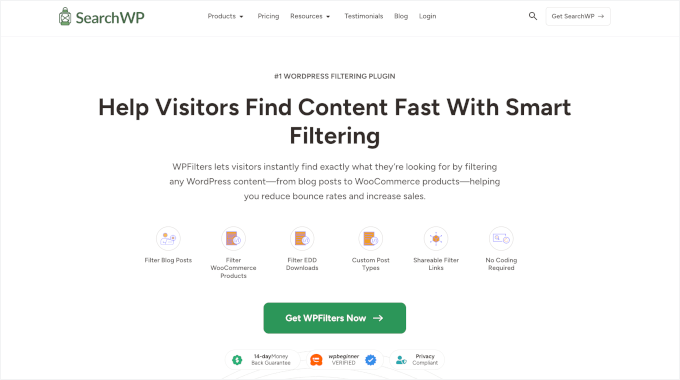
| Pros of WPFilters | ✅ No-code setup with seamless WordPress block editor integration ✅ Filters WooCommerce products and other content like posts and digital downloads ✅ Works with categories, tags, and custom fields ✅ Supports AJAX live filtering and search ✅ Shareable filtered results URLs ✅ Mobile-friendly and responsive |
| Cons of WPFilters | ❌ Advanced customization requires learning block settings ❌ Pricing tiers vary based on sites and support level |
| Pricing | Starts at $49/year |
| Best For | Store owners who want no-code filtering across products and other content types. |
My Experience
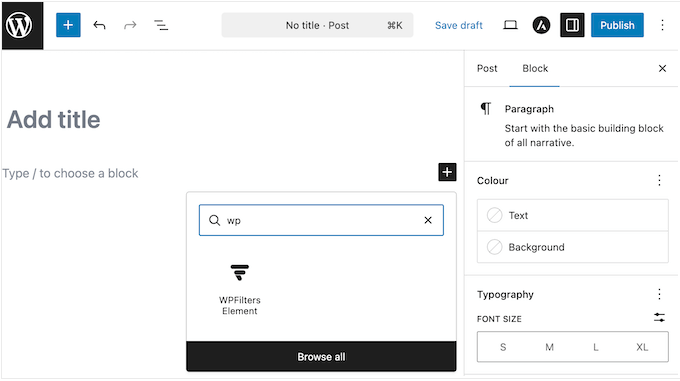
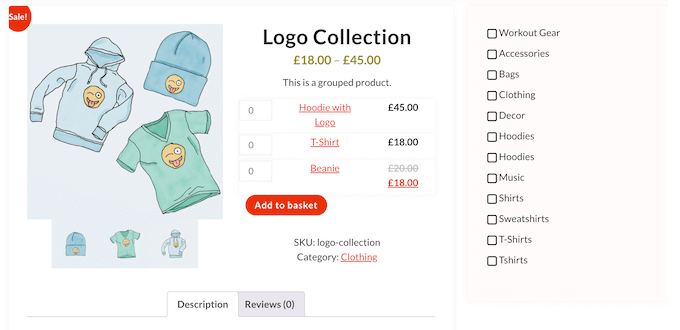
I started by creating a filter set for my shop page, and the setup was much easier than I expected. During setup, I added filters for price, category, and product attributes right inside the WordPress admin area.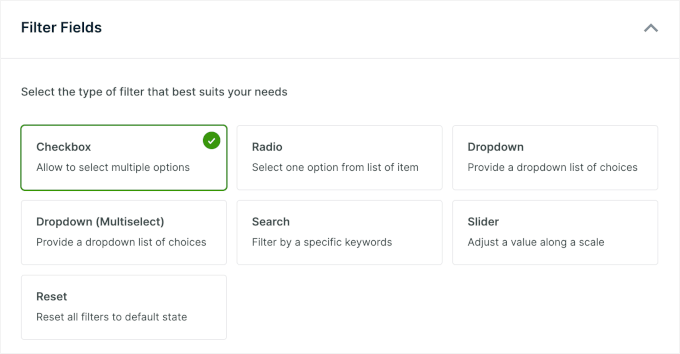
2. Themify Product Filter
🎖️ Best for Themify Theme Users
| Pros of Themify Product Filter | ✅ Live AJAX results ✅ Multiple filter layouts, including horizontal and dropdown ✅ Color, image, and style swatches for visual filtering ✅ Product tags and custom taxonomies support |
| Cons of Themify Product Filter | ❌ Requires manual styling for non-Themify themes ❌ Fewer pre-built templates than competitors ❌ Documentation could be more detailed |
| Pricing | Free version available. Paid plans start at $89/year |
| Best For | Websites and stores already using a Themify theme and looking for built-in style compatibility. |
My Experience
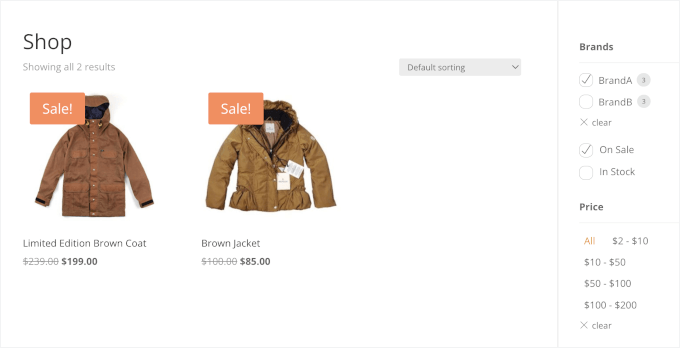
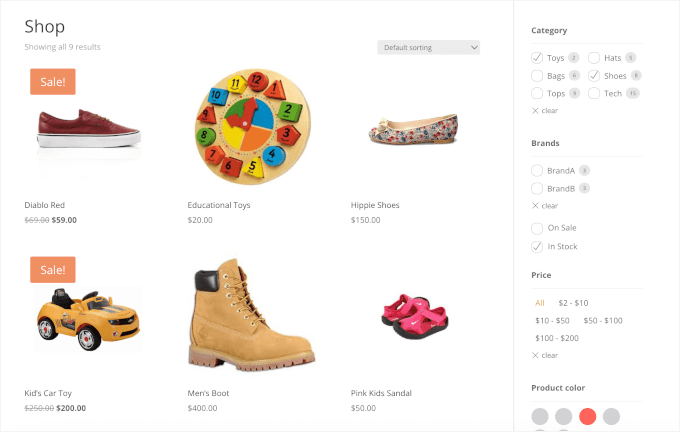
During my testing, I installed the plugin and added my first filter widget to the shop sidebar. The setup wizard guided me through choosing filter types and connecting them to product attributes.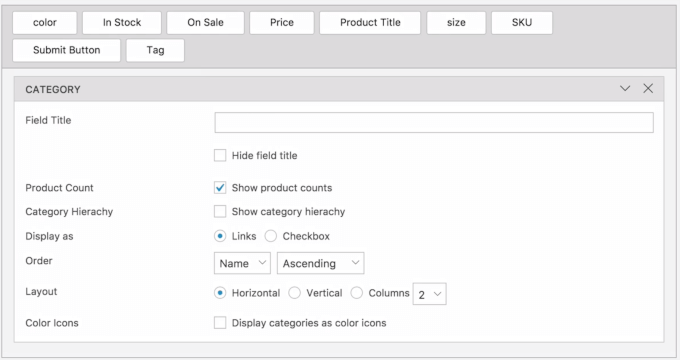
3. YITH WooCommerce Ajax Product Filter
🎖️ Best Beginner-Friendly Filter Plugin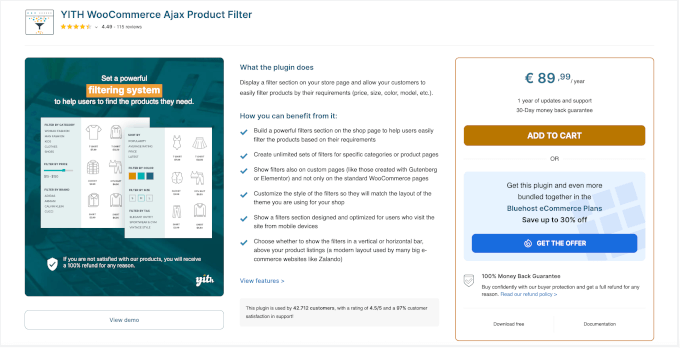
| Pros of YITH WooCommerce Ajax Product Filter |
✅ Unlimited filter sets for different shop pages ✅ Simple widget interface with AJAX ✅ Works with most WooCommerce themes ✅ Range sliders for price and numeric filters |
| Cons of YITH WooCommerce Ajax Product Filter |
❌ Design customization options are limited in the free version ❌ Advanced filter types need a premium plan |
| Pricing | Freemium Pro starts at €89.99 |
| Best For | Beginners who want an easy way to add basic product filters. |
My Experience
After installing the plugin, I added the filter widget to my shop sidebar. The setup took less than five minutes because the options were labeled clearly, so I knew exactly what I could add.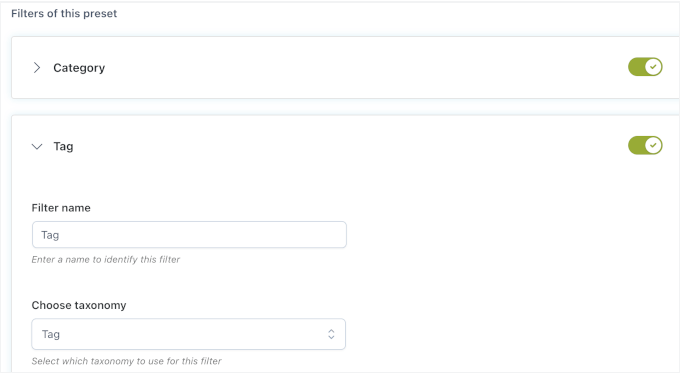
4. JetSmartFilters
🎖️ Best for Page Builder Users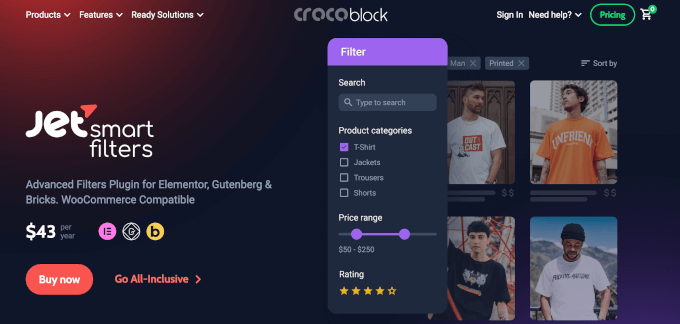
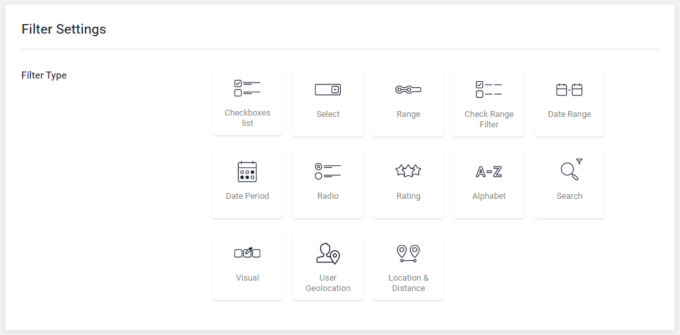
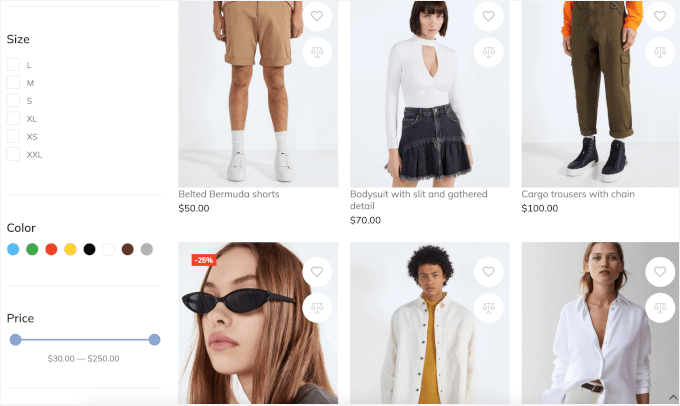
| Pros of JetSmartFilters | ✅ Works seamlessly with Elementor’s Loop Grid and other page builders ✅ Visual filter widgets with live preview ✅ Supports advanced filtering rules ✅ Fast performance on large stores ✅ Multiple filter types like checkboxes, radios, and price ranges |
| Cons of JetSmartFilters | ❌ Requires JetEngine for full functionality ❌ Takes time to learn advanced setups |
| Pricing | Starts at $43/year |
| Best For | Stores built with custom layouts using Elementor, Gutenberg, or other page builders. |
My Experience
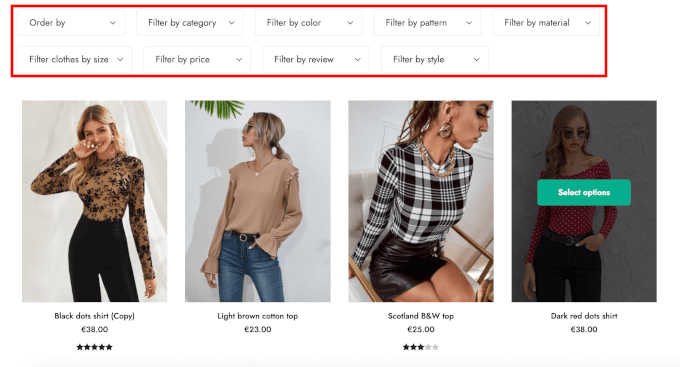
I installed JetSmartFilters and opened Elementor to build a filter set for my product grid. Using Elementor’s Loop Grid, I could connect JetSmartFilters to my layout in just a few clicks.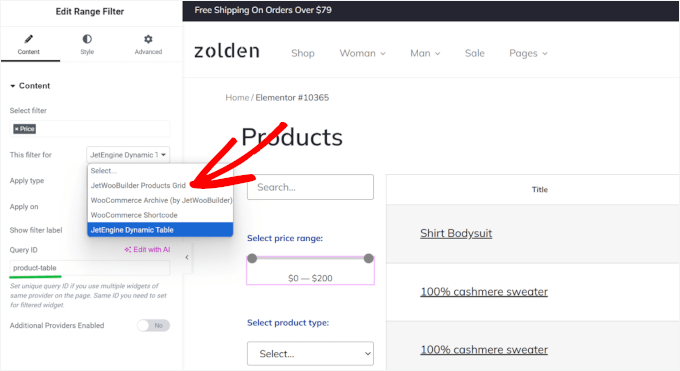
5. Barn2 WooCommerce Product Filters
🎖️ Best Filter Plugin for Large Online Stores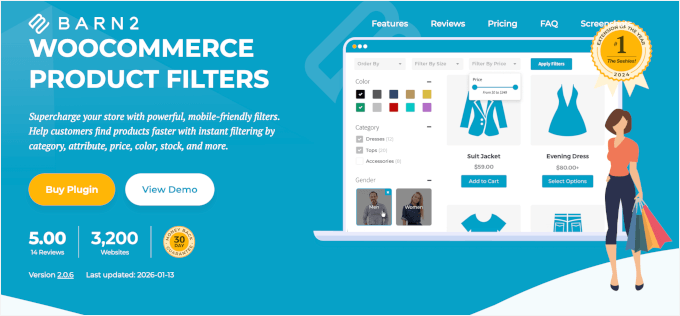
| Pros of Barn2 WooCommerce Product Filters | ✅ Handles thousands of products without slowing down ✅ Multiple layouts, including sidebar and horizontal filters ✅ Works with product categories, tags, and attributes ✅ Mobile-friendly design with slide-out filters ✅ Compatible with most WooCommerce themes |
| Cons of Barn2 WooCommerce Product Filters | ❌ More expensive than basic filter plugins ❌ Takes time to learn advanced features ❌ Some custom changes require coding |
| Pricing | Starts at $79/year |
| Best For | Large stores with huge catalogs that need fast, performance-friendly filtering. |
My Experience
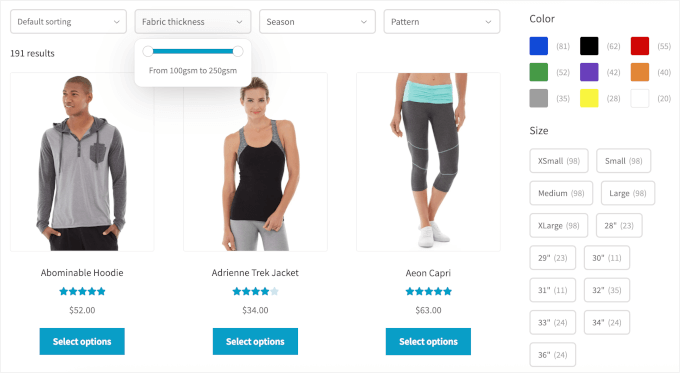
After installing the plugin, I ran its built-in tool to prepare the product database for faster filtering. This tool indexes your product data, so the plugin doesn’t have to search your entire database for every click. It took a few minutes to run, but after that, everything felt much quicker. Setting up filters was straightforward. I could choose from common filter types like dropdowns, checkboxes, labels, images, and price sliders. I could also add sorting options like newest products, popularity, and price. To choose what customers could filter by, I simply picked things like color, size, tags, sale items, and other product details.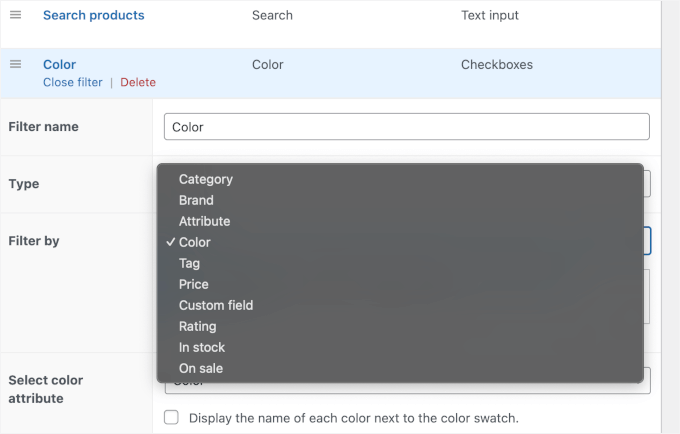
6. Husky Products Filter (formerly WOOF)
🎖️ Best WooCommerce Filter Plugin for Developers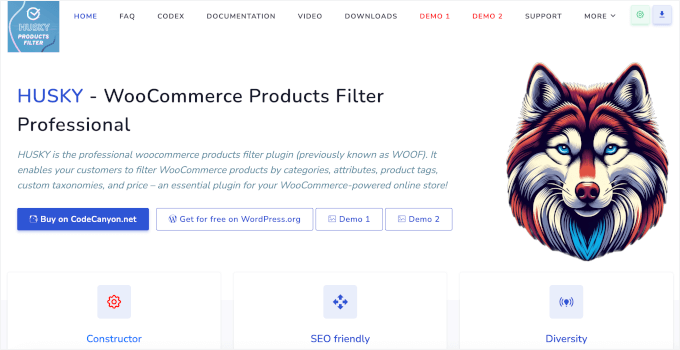
| Pros of Husky Products Filter | ✅ SEO-friendly filter links (good for search engines) ✅ Lots of ways to customize filters for specific needs ✅ Multiple filter types like categories, tags, price sliders, checkboxes, and more ✅ Works with custom taxonomies and meta fields ✅ Lightweight and fast for front-end filtering |
| Cons of Husky Products Filter | ❌ Can feel technical and not very intuitive for beginners ❌ Limited visual customization without CSS ❌ Documentation assumes coding knowledge |
| Pricing | Freemium Pro starts at $42/year |
| Best For | Developers and SEO-focused stores that need advanced control over filtering behavior. |
My Experience
After activating Husky, I built a set of filters through its Structure panel. Husky’s UI is more text- and settings-based, so it can feel a bit technical at first. I added filters for in-stock items, on-sale products, ratings, price ranges, and a search field. You can also filter by custom product details if your store uses extra fields.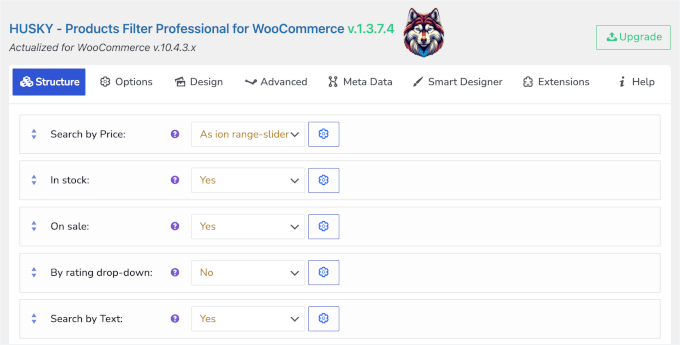
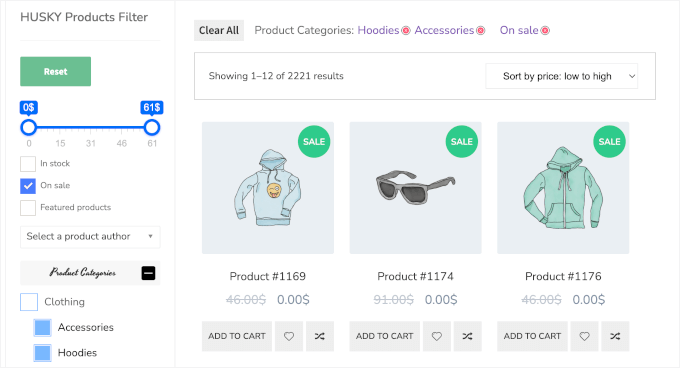
?filter=123, Husky can generate clean, readable links like: /swoof/color-red/product_cat-sport/.
These can be included in your sitemap and help your site get indexed better by Google and other search engines.
And because Husky is flexible, developers can also hook into its system or extend it with custom code. This makes it a good choice if you want precise control over how filters work, but it’s not as beginner-friendly as some drag-and-drop builders.
7. Filter Everything
🎖️ Best Plugin for Filtering Products and Custom Content
| Pros of Filter Everything | ✅ WooCommerce products and any other WordPress content (posts, pages, custom post types) ✅ AJAX filtering so results update without a full page reload ✅ Works with custom fields, taxonomies, and attributes ✅ You can add filters with widgets or shortcodes |
| Cons of Filter Everything | ❌ Advanced layouts (like horizontal filters or tabbed interfaces) are only in the premium version ❌ Take some time to learn how to filter more complex post types ❌ To style filters beyond the basics, custom CSS is needed |
| Pricing | Free (Lite) |
| Best For | Site owners who want one plugin to filter products, blog posts, and other content from one plugin |
My Experience
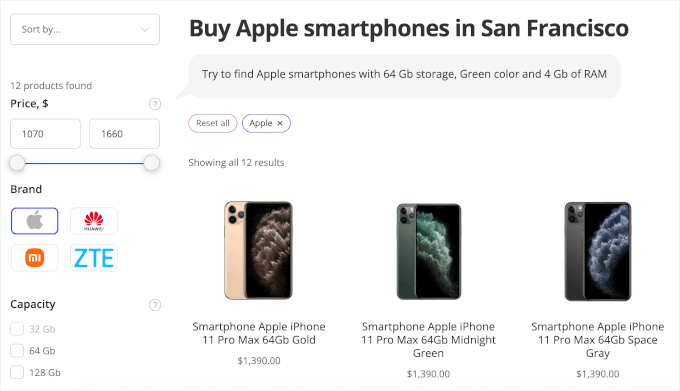
I installed Filter Everything and built my first filter set right from the dashboard. The setup lets you choose which content type you want to filter, and I started with WooCommerce products.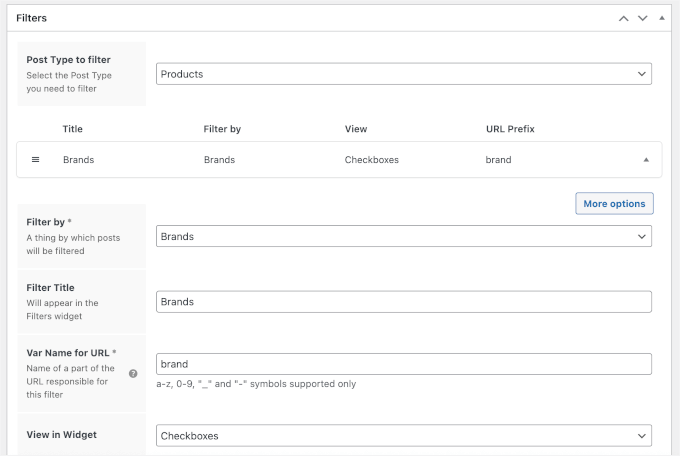
What Is the Best WooCommerce Filter Plugin?
WPFilters is the overall best option for most WooCommerce store owners. It combines no-code setup with powerful filtering across products and custom content, plus shareable URLs for bookmarking and SEO. For beginners, YITH WooCommerce Ajax Product Filter delivers reliable filtering with very easy controls. And if you’re using Themify themes, then Themify Product Filter offers seamless integration and fast AJAX results.FAQs About WooCommerce Product Filters
Below are quick answers to some common questions about WooCommerce product filters. What is the product price filter in WooCommerce? The product price filter lets customers narrow down products by price range, usually with a slider or set minimum and maximum values. It helps shoppers stay within their budget and find products faster. What’s the difference between product search and product filters? Think of it this way: Search is for when a customer knows exactly what they want (e.g., “iPhone 15”). Filters are for when they are browsing and want to narrow down options (e.g., “Smartphones under $800”). Can I add a filter by category in WooCommerce? Yes. WooCommerce lets you filter products by category, so customers can quickly view items from a specific group, like “Shoes” or “Accessories.” Many filter plugins make this even easier to customize. Can customers filter products by attributes (size, color, brand)? Yes. If your products use attributes like size, color, or brand, customers can filter by them. This is very helpful for stores selling clothing, accessories, or anything with variations. How do I add AJAX product filters in WooCommerce? Use a WooCommerce filter plugin that supports AJAX. This lets products update instantly without reloading the page, creating a smoother shopping experience.Next Steps to Complete Your WooCommerce Store Setup
I hope this guide has helped you find the best filter plugin for your WooCommerce store. Next, you might want to explore other ways to improve your WooCommerce store’s performance and user experience:- How to Give a First Purchase Discount in WooCommerce
- How to Send WooCommerce Order Notifications Straight to WhatsApp
- How to Optimize the Customer Journey for a WooCommerce Store
- Proven Tips to Succeed with Your WooCommerce Store
- Best WooCommerce Plugins to Grow Your Store

Leave a Reply